 Sticky Add-to-Cart
 WhatsApp Chat Button
 Badges & Labels
 Free Shipping Bar
 Estimated Delivery
 Web Push
 Back in Stock & Preorder
 Launch Waitlist
 Popups & Quizzes
 Quantity Breaks & Bundles
 Product Options
 Cart Drawer & Upsells
 Product Reviews
 Product Q&A
One clear invitation
Keep a popup focused on a single action, such as joining your list. Explain what the shopper gets before asking for their details.
 for Shopify
Use a popup for a focused invitation, or a quiz to help shoppers work through their choices. Both sit on your Shopify storefront and appear only where you place them.
Join Early AccessExplore all 15 modules →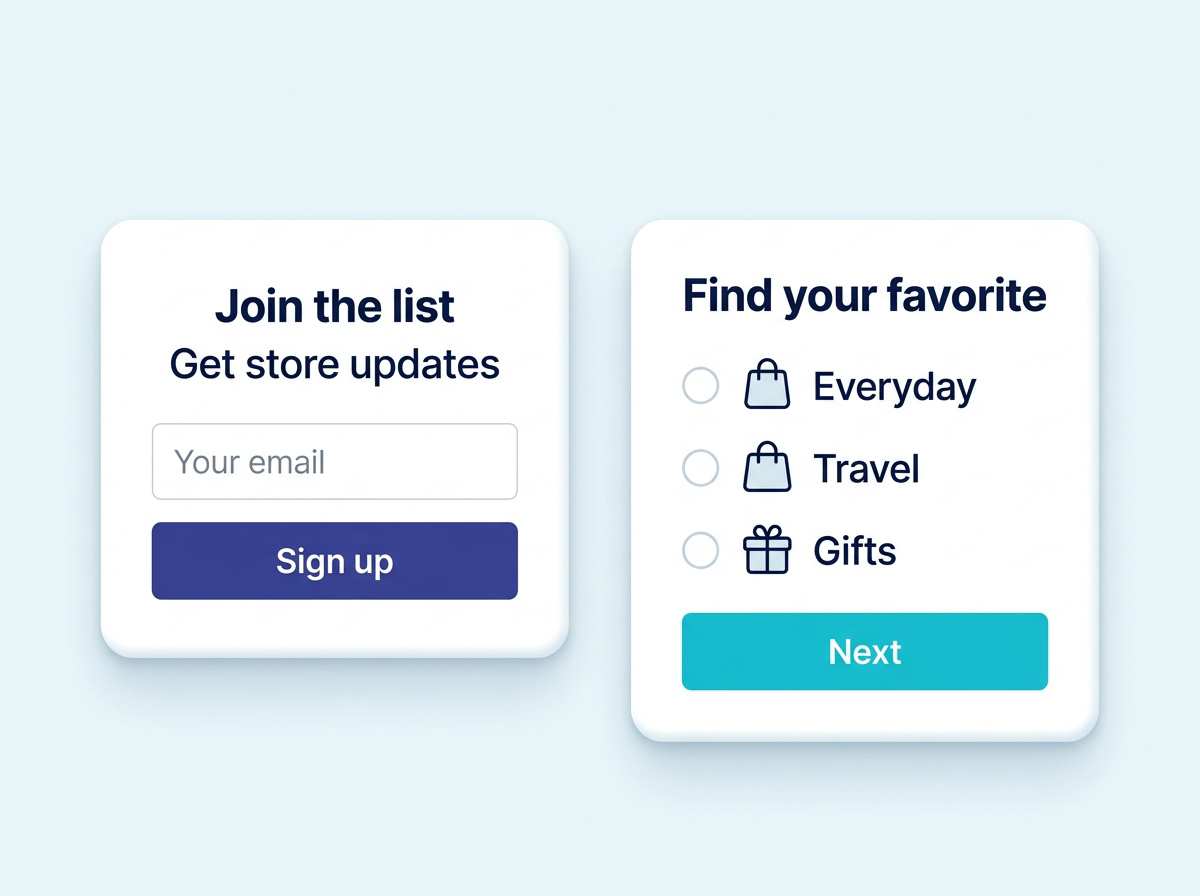
Keep a popup focused on a single action, such as joining your list. Explain what the shopper gets before asking for their details.
When a collection offers several options, a quiz can make the decision easier. Ask useful questions with straightforward choices.
Target specific products, collections or URL rules. A popup appears only where you put it.
Trigger on time spent, scroll depth, or exit intent, so the invitation arrives after the shopper has seen something.
Frequency rules mean a dismissed popup stays dismissed. Nobody is asked twice in one visit.
Later quiz questions depend on earlier answers, so a short path stays short and a detailed one goes deeper.
Answers score against your products, tags and collections. The result reflects the whole set of answers, not just the last one.
Marketing consent is asked for explicitly and never pre-ticked, and auto-triggered popups hold back where cookie consent was declined.
Only on the pages you choose. Target by product, collection or URL rule, and set separate rules for mobile.
Yes. Questions branch on earlier answers, so shoppers only see what is relevant to them.
Answers are scored against your product tags and collections, and the products come from Shopify live, so stock and price are current.
Yes. Where a shopper has declined consent through your banner, auto-triggered popups do not fire. Consent for marketing is always an explicit, unticked choice.
Explore all 15 modules and choose the ones that suit your store.
 Form BuilderCollect the information your store needs. →