 WhatsApp Chat Button
 Badges & Labels
 Free Shipping Bar
 Estimated Delivery
 Web Push
 Back in Stock & Preorder
 Launch Waitlist
 Popups & Quizzes
 Form Builder
 Quantity Breaks & Bundles
 Product Options
 Cart Drawer & Upsells
 Product Reviews
 Product Q&A
Let the product story unfold.
Shoppers can move through details and reviews at their own pace.
 for Shopify
 STICKY ADD TO CART
Details, reviews, one more scroll. Keep the product and its buy button
close by, wherever the decision happens.
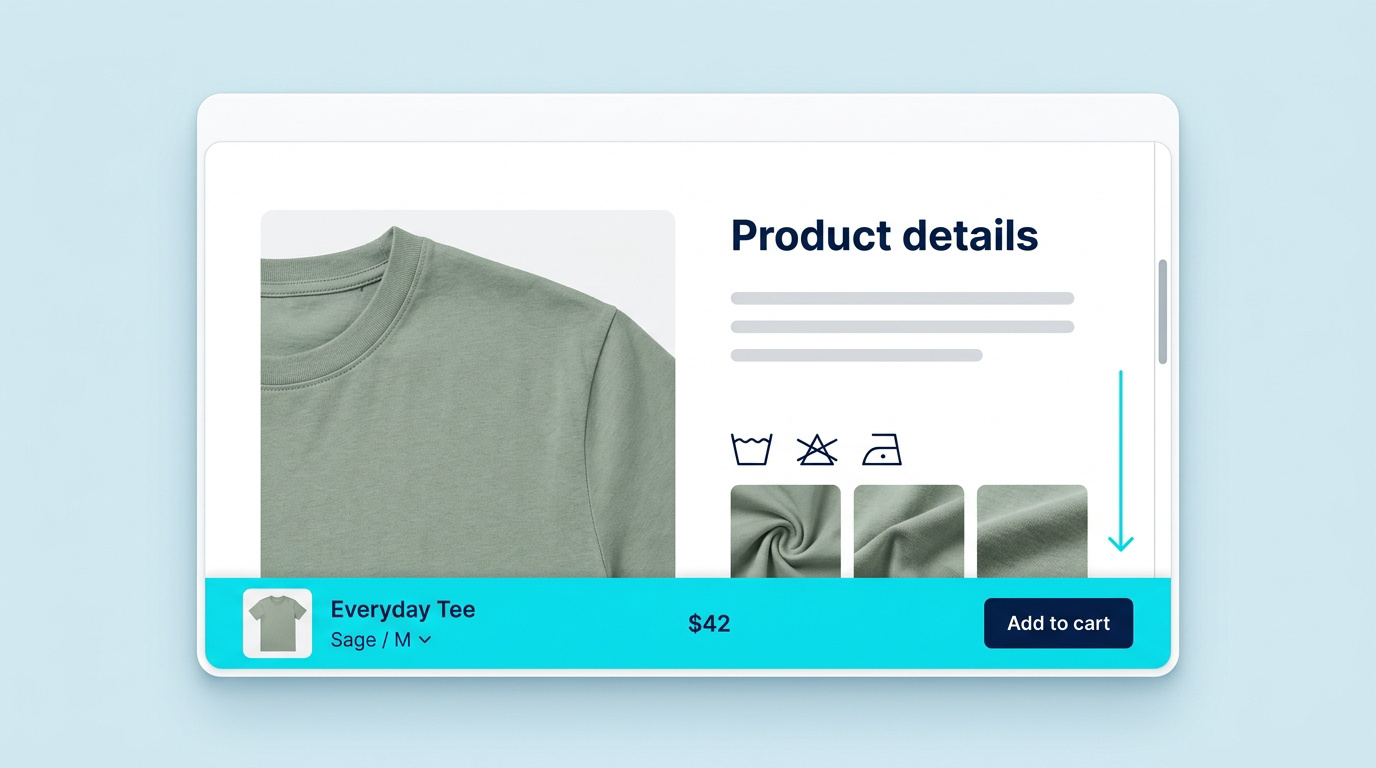
Product and price
stay visible.
The selected variant
stays visible.
Add to cart stays
one tap away.
Three views of the same bar.
No trip back to the top just to find the buy button.
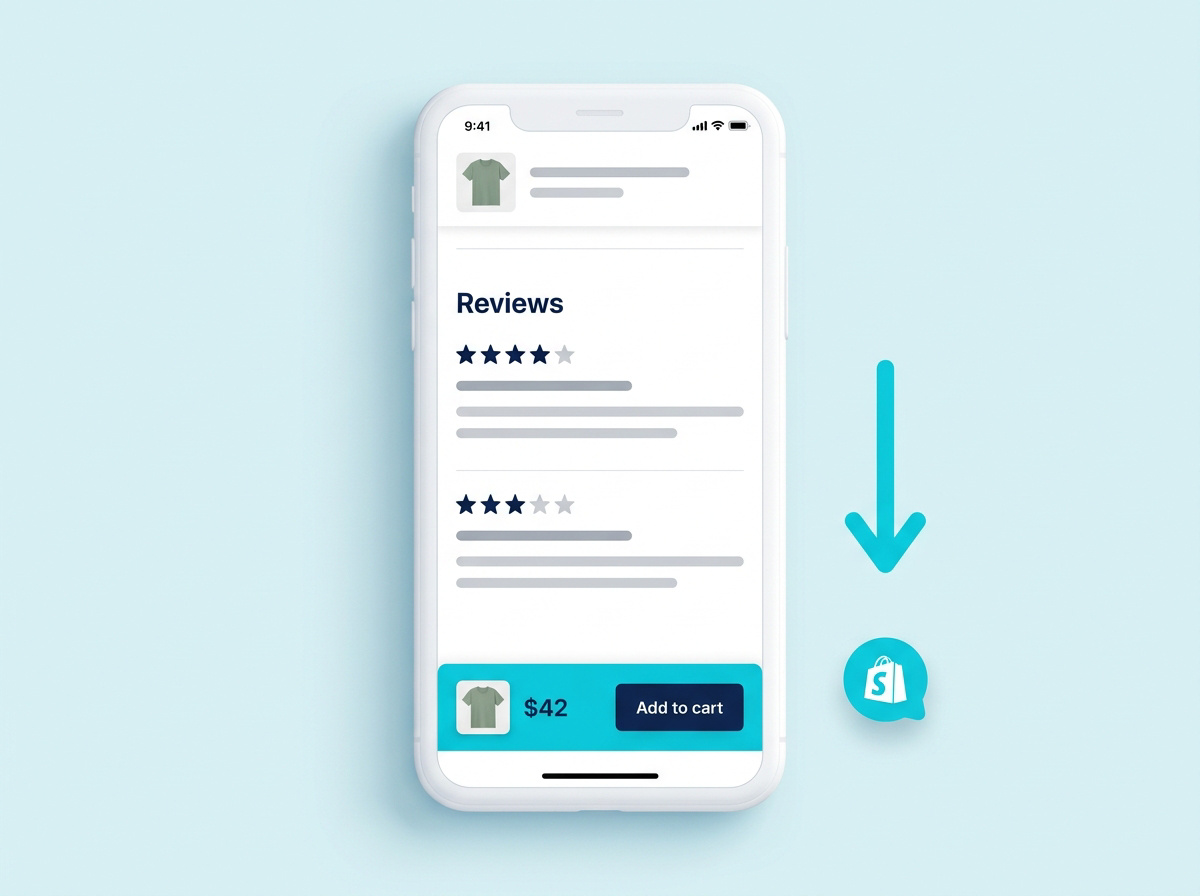
Room to read the reviews. A clear next step within reach.
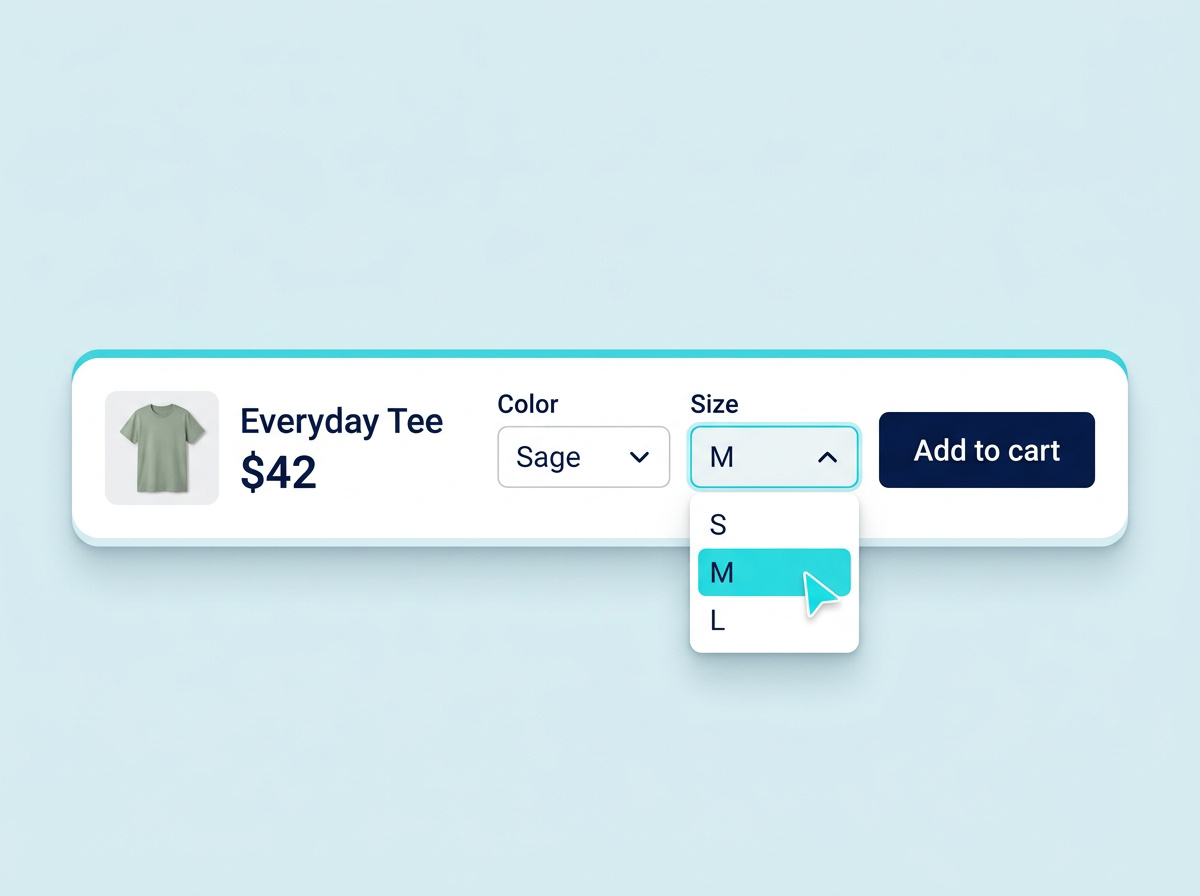
Product, price and selected variant belong together.
Shoppers can move through details and reviews at their own pace.
A product thumbnail and price make it clear what they are adding.
A consistent place for the purchase action, even further down the page.
It stays in view as shoppers scroll through the product page, keeping the purchase action accessible beyond the original product form.
The bar keeps the product, price and variant choices together, so the purchase action stays connected to the selected item.